Unyap - On-Device Voice Note Transcription
Some people send voice notes. Some people would rather read them. I am firmly in the second camp, and “let me find somewhere quiet to listen to a 90-second WhatsApp ramble” is not a thing I enjoy doing. The obvious fix is transcription, but every easy option ships your audio off to someone else’s server. A private voice note from a friend is exactly the kind of thing I do not want to hand to a cloud API. So I built Unyap: an Android app that transcribes voice notes to text entirely on the phone, using whisper.cpp. No audio and no text ever leaves the device.
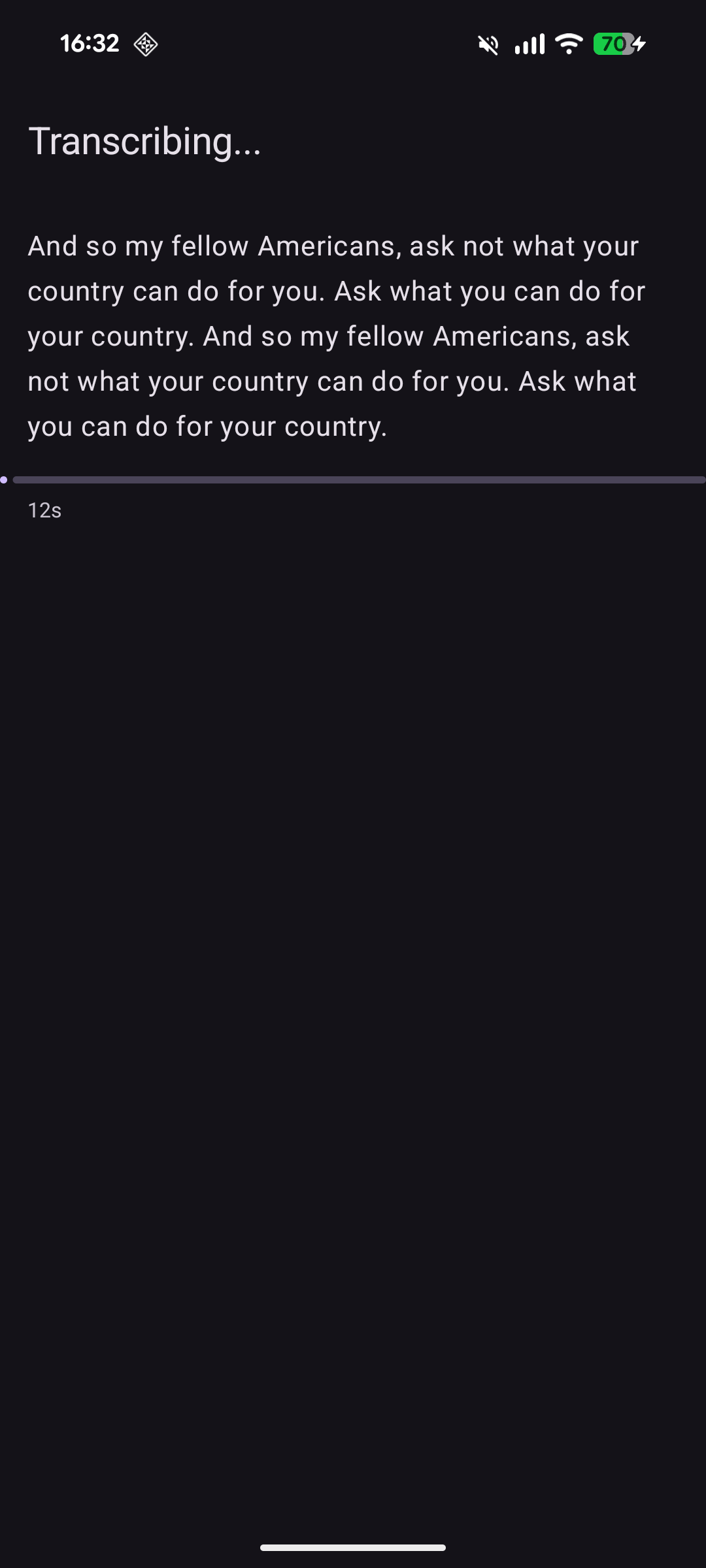 Words stream in as they decode |
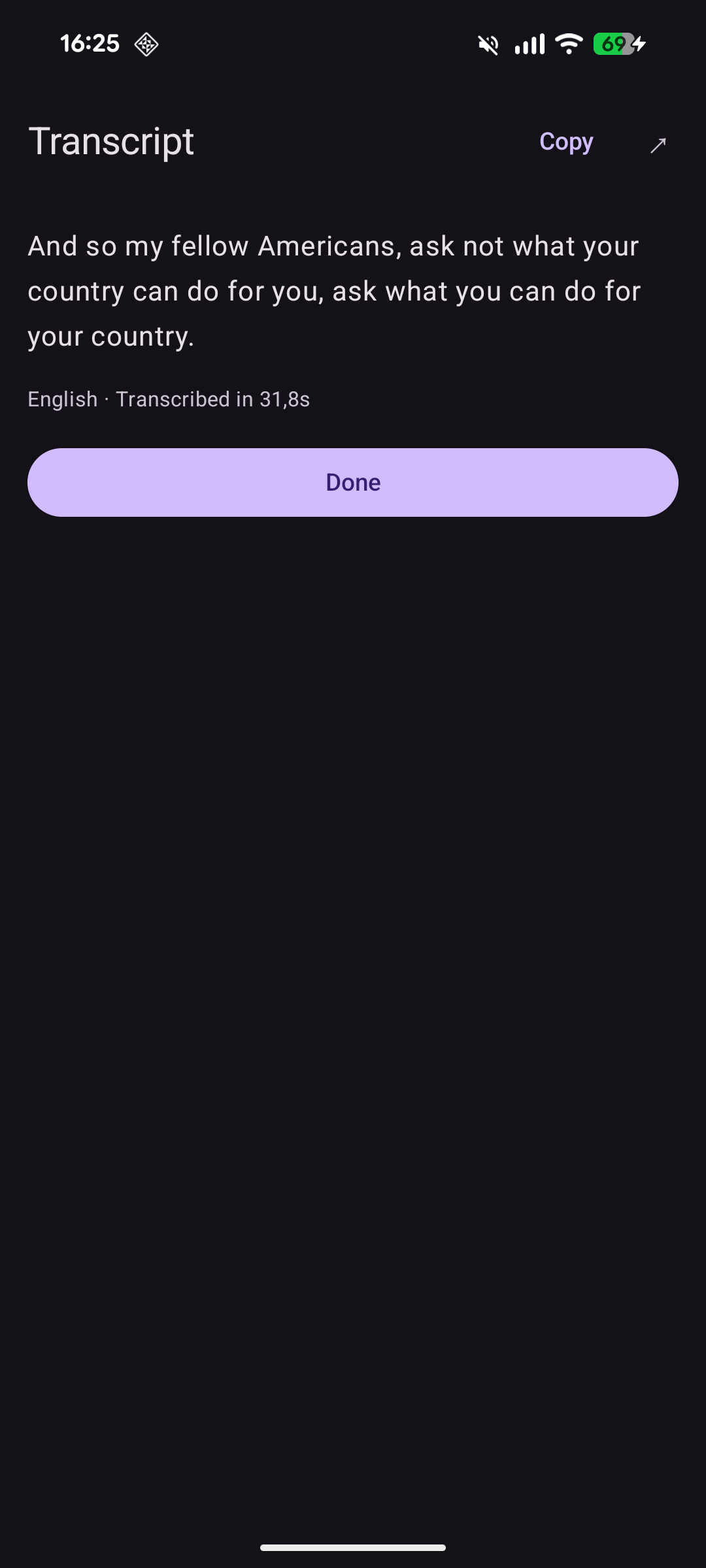 Copy or share the result |
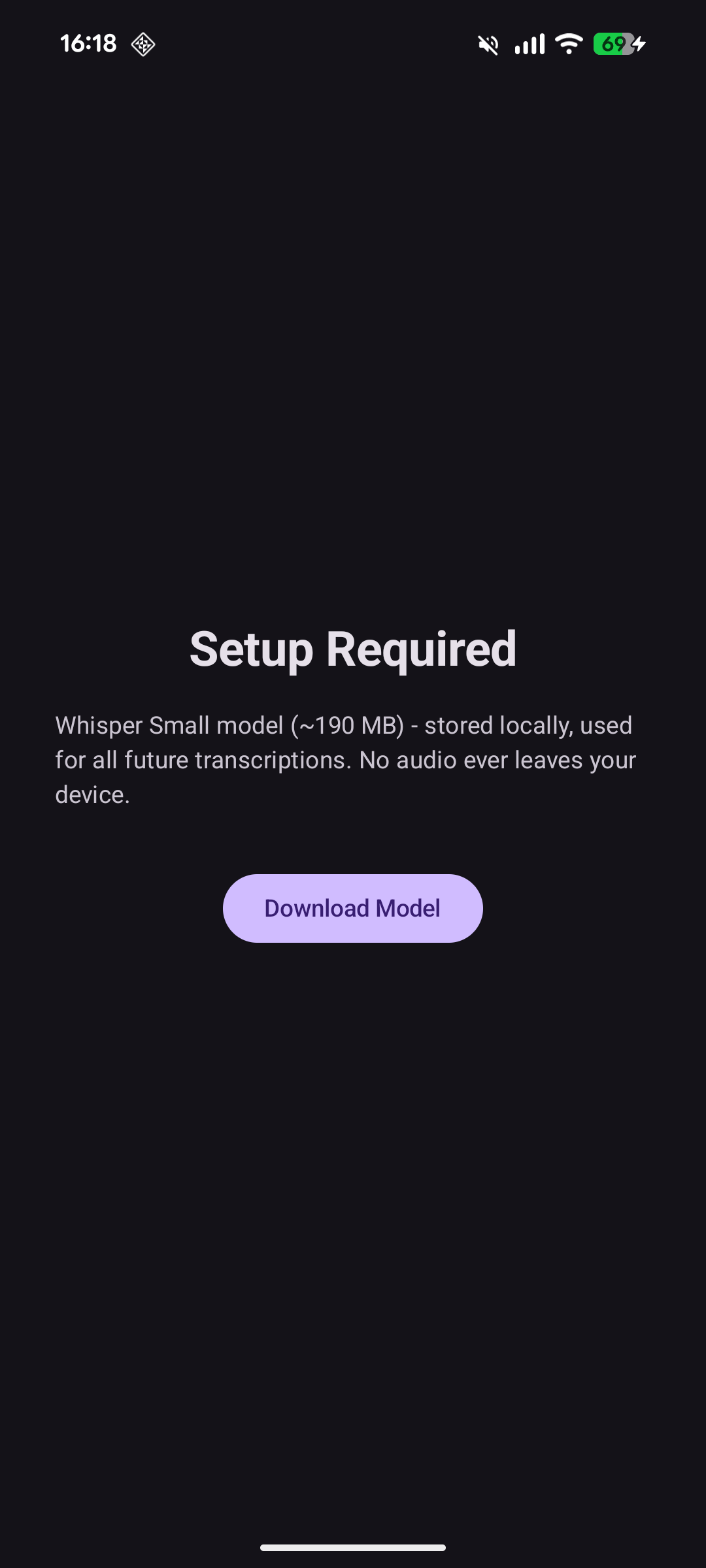 One-time model download |
How it works
You share a voice note to Unyap from WhatsApp (or any app, or pick a file in-app), the words
stream in as they are transcribed, and then you select, copy, or share the result. That is the
whole product. The interesting part is everything it does not do: there is no account, no
upload, no “processing on our servers”. The app requests a single permission, INTERNET, and uses
it exactly once - to download the Whisper model on first launch. After that it never touches the
network again.
flowchart LR
  Share[Shared voice note] --> Dec[MediaCodec decode]
  Dec --> PCM[16 kHz mono PCM]
  PCM --> W[whisper.cpp on CPU]
  W -- token by token --> UI[Streaming transcript]
The model is Whisper Small, quantized to q8_0 - about 190 MB, downloaded once from Hugging
Face and cached in app storage. It runs on the CPU through a small JNI bridge, with flash_attn
on and the GPU explicitly disabled (on phones the CPU path is both faster to spin up and far less
of a compatibility minefield than trying to get a GPU backend working across a thousand SoCs).
Streaming words as they decode
This is my favourite detail. whisper.cpp’s normal API hands you text one segment at a time - roughly a sentence - which means you stare at a spinner and then a whole line appears at once. I wanted the word-by-word teletype feel instead, where the transcript visibly grows as the model thinks.
There is no official “give me each token” callback, but there is a logits_filter_callback - a
hook meant for biasing the logits during sampling. It fires on every decoding step, and the most
recently sampled token is sitting right there in the token buffer. So I repurpose it: grab the
last token, skip the special ones (anything at or above the end-of-text token), turn the rest into
a string, and push it straight across JNI into Kotlin.
whisper_token eot = whisper_token_eot(ctx);
const whisper_token_data &last = tokens[n_tokens - 1];
if (last.id >= eot) return;            // skip special tokens

const char *text = whisper_token_to_str(ctx, last.id);
if (text && text[0] != '\0') {
    jstring jtext = env->NewStringUTF(text);
    env->CallVoidMethod(cb->listener, cb->onSegment, jtext);  // -> Kotlin
    env->DeleteLocalRef(jtext);
}
On the Kotlin side the transcription runs on a background thread and the tokens come out as a
Flow<StreamEvent> built with callbackFlow, buffered so the decoder never blocks on the UI.
Compose just collects the flow and appends. The decode finishes with a Done event carrying the
full text, the elapsed time, and the auto-detected language - language detection is left on
(language = nullptr), so German and English voice notes both just work, along with the 90-odd
other languages Whisper knows.
Decoding the audio first
Whisper wants 16 kHz mono float PCM, and a WhatsApp voice note is none of those things - it is
usually Opus in an OGG container. Rather than pull in a heavy audio library, I let Android do it:
MediaExtractor + MediaCodec decode whatever audio/* you throw at it, and I downmix and
resample to 16 kHz on the way out.
The one trap worth mentioning is memory. A long recording is a lot of samples, and the obvious
MutableList<Short> boxes every single one into a heap object - roughly 16 bytes to store 2 bytes
of audio, which OOM-crashes the app on anything lengthy. The fix is unglamorous but necessary: a
plain growable ShortArray that doubles when full, keeping it at 2 bytes per sample.
// A MutableList<Short> boxes every sample (~16 bytes each) and
// OOM-crashes on long recordings; a raw ShortArray stays at 2 bytes.
var pcm = ShortArray(1 shl 18)   // ~256K samples to start
Not crashing on older phones
This is the part I expected to be trivial and absolutely was not. whisper.cpp is fast on ARM
because it leans on modern instruction-set extensions - dotprod, fp16 arithmetic, i8mm. If you
build with a high -march to get those, the resulting binary contains instructions that simply do
not exist on older CPUs, and the app dies with a SIGILL (illegal instruction) the moment it hits
one. Build at the safe baseline instead and you leave a big chunk of performance on the table for
everyone on a recent phone.
The clean way out is to not choose at build time at all. I compile the JNI core at the plain
arm64-v8a baseline (ARMv8.0-A), and let ggml build every CPU variant from armv8.0 up to
armv9.2 as separate, dlopen-able backend libraries:
set(GGML_BACKEND_DL       ON  CACHE BOOL "" FORCE)  # each variant a loadable .so
set(GGML_CPU_ALL_VARIANTS ON  CACHE BOOL "" FORCE)  # armv8.0 .. armv9.2
set(GGML_NATIVE           OFF CACHE BOOL "" FORCE)  # never -march=native
At startup the app loads all the variants and ggml scores them against what the CPU actually
advertises through getauxval(HWCAP), then picks the best one the device genuinely supports. A
Pixel 8 gets the i8mm kernels; a five-year-old phone quietly falls back to the baseline and still
runs. Same APK, no SIGILL, no feature detection code of my own.
A second Play Store hoop: apps targeting SDK 35+ must support 16 KB memory pages, so the native
libraries need their ELF segments aligned to 16 KB. That is a couple of linker flags set before any
target is defined, so every library - mine and all the ggml variants - inherits the alignment.
With -O3, LTO, dead-code stripping and hidden visibility on top, the native side stays lean.
The result
On a Pixel 8 it runs at roughly real time - about 15 seconds of audio transcribed in about 15
seconds - which is plenty for the voice-note use case, and it gets there without a single packet
leaving the phone. The whole thing is Kotlin + Jetpack Compose over a thin JNI layer, targeting
arm64-v8a, min SDK 29.
Unyap is on Google Play, and the signed APK is on the GitHub releases page if you would rather sideload it. It is open source under MIT, with whisper.cpp bundled as a submodule. Code is on GitHub.